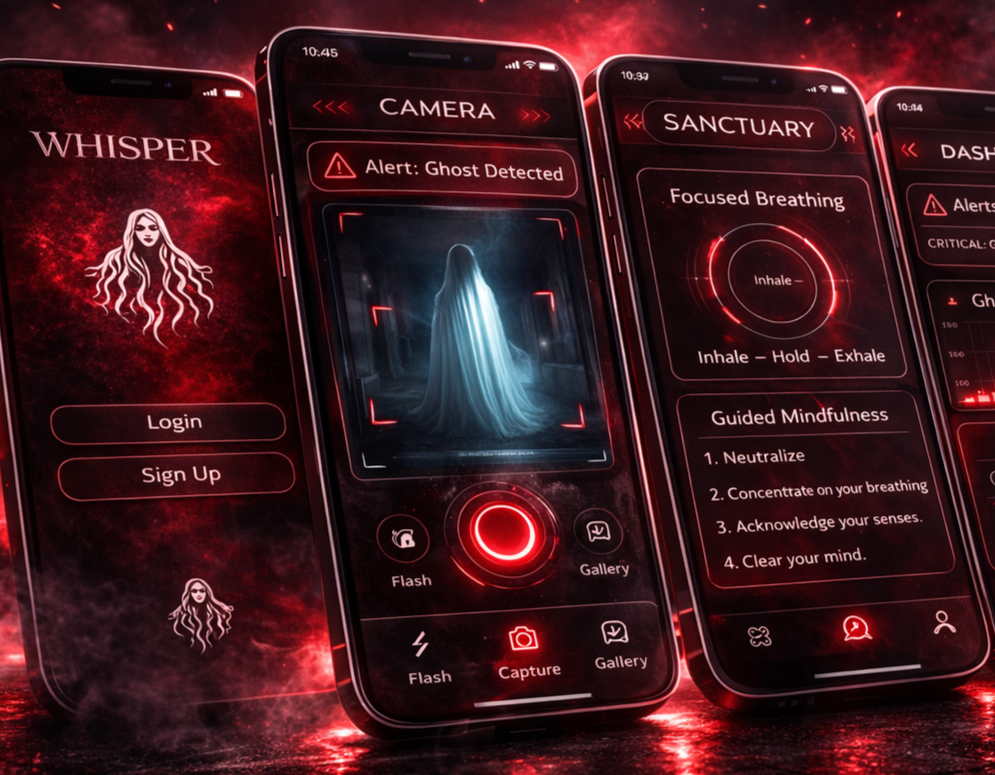
Whisper
Whisper is a fear-tracking app designed to give a voice to the thoughts we often silence—transforming fleeting anxieties into something visible, understood, and manageable.
Individual Project
Role: Co Product Designer
Timeline: 3 Days
Tools: Figma
The Challenge
Humans often experience subtle sensory signals such as chills, tension, or sudden shifts in awareness without understanding their cause. Because these sensations are processed subconsciously before conscious awareness, they can create anxiety or confusion when they cannot be interpreted. Currently, there are no tools that help people detect, visualize, or understand these invisible sensory experiences.
The Opportunity
New technology can translate subtle environmental signals.
Visualizing disturbances like temperature shifts and vibrations.
Enhancing emotional regulation and environmental understanding through vibrations and breathing exercises
Face your fears using a paranormal camera
Detecting and visualizing temperature shifts and vibrations.
Making invisible sensory experiences visible
Helping users understand their environment and emotional responses.
Process
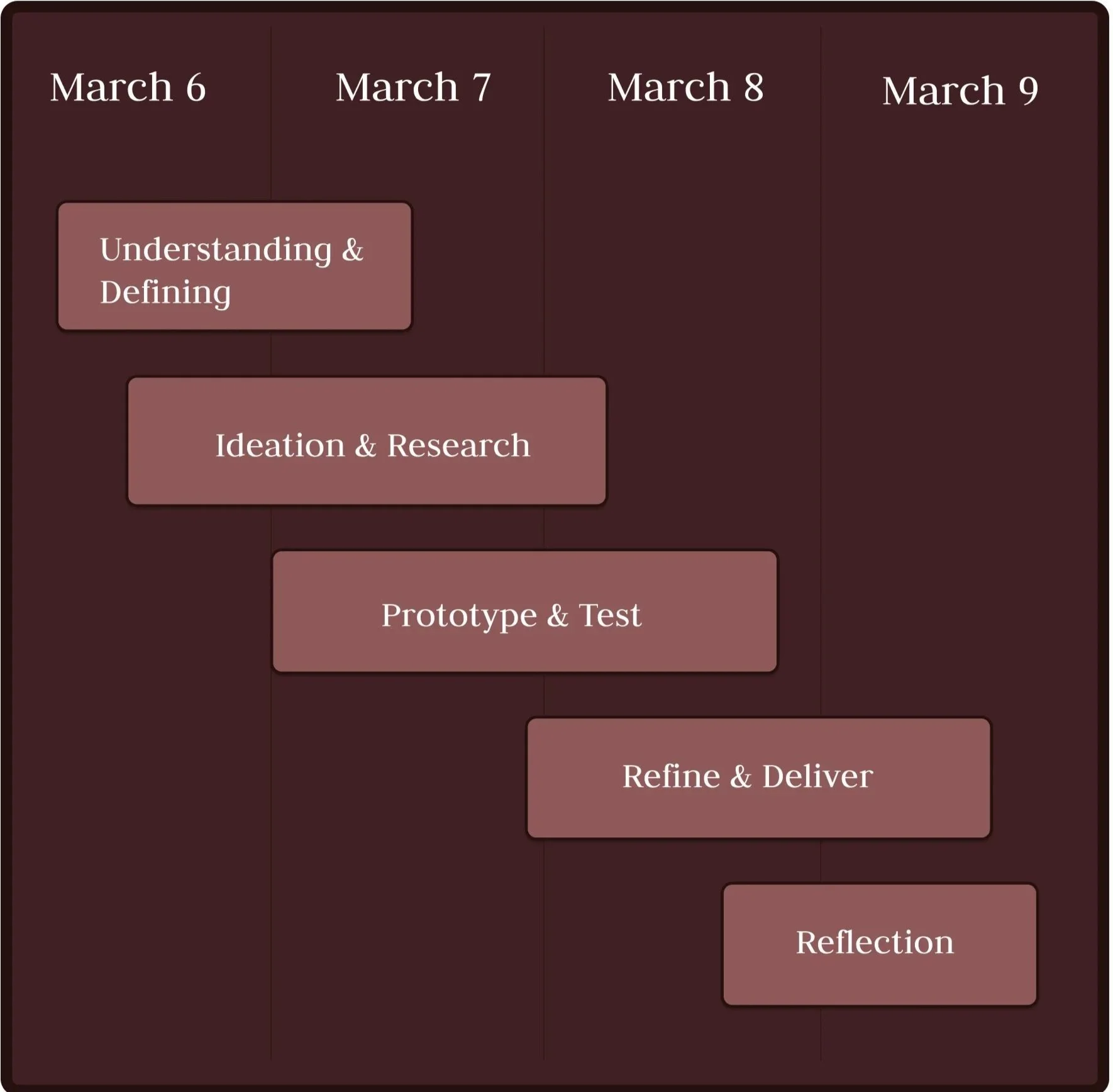
Project Timeline
Ideation & Exploring
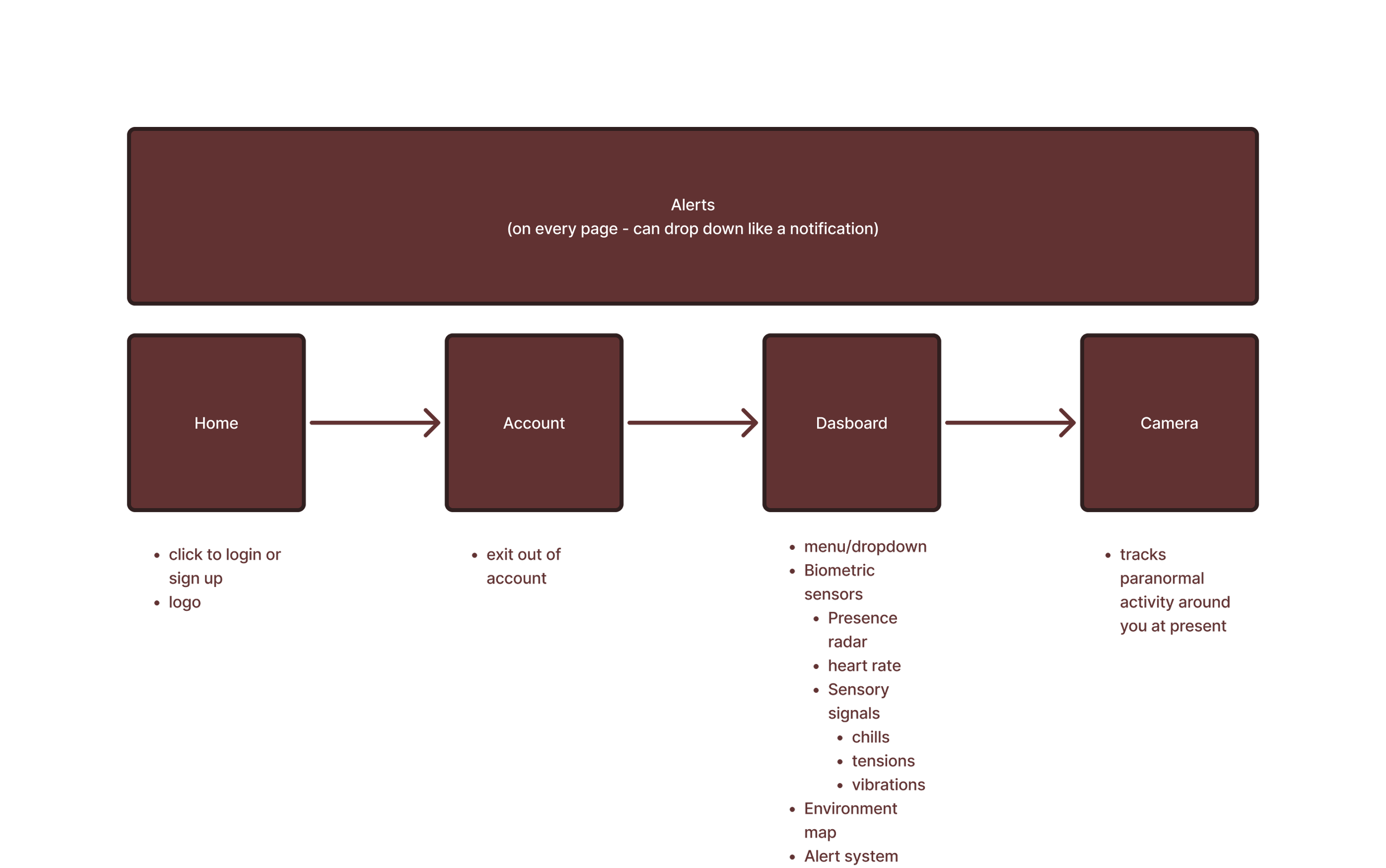
Userflow: Brainstorming User’s Journey
To understand how users would move through the app, I created an initial flow mapping key features. The flow begins at a the home page before moving to the different features that are available to the user.
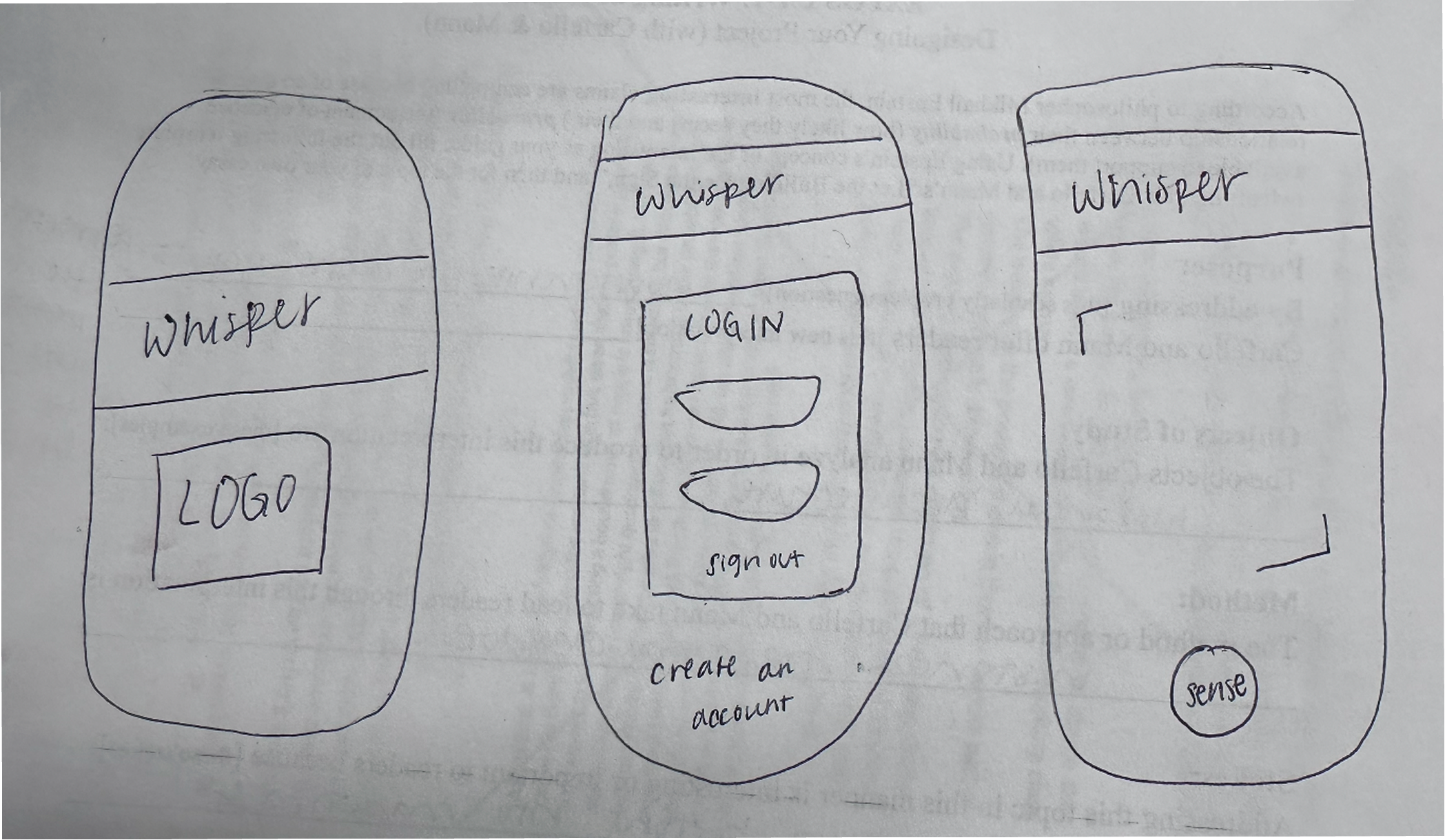
Paper Prototype: Brainstorming User’s Journey
To explore how users move through the app, I created a paper prototype that maps a psychological journey from a login into the central dashboard.
Wireframe
Structure: Incorporating design into accessibility
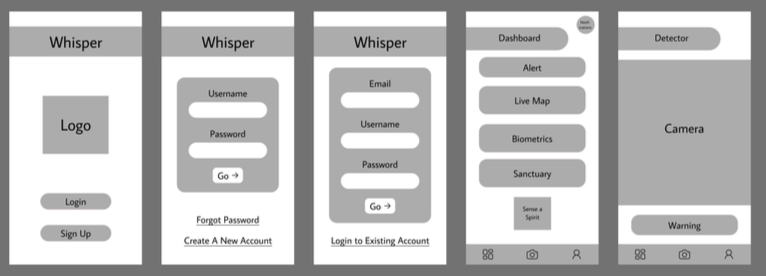
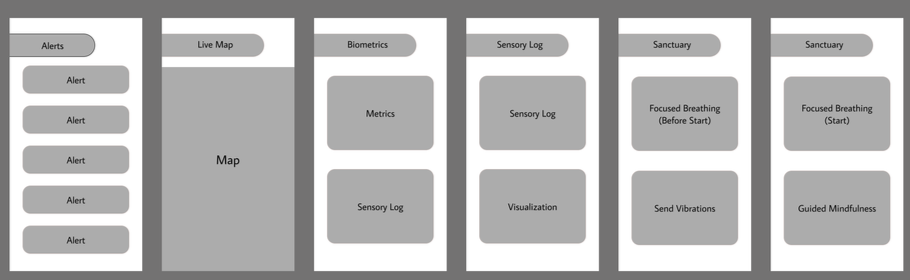
Reborn’s wireframe experiments with structure and interaction to better understand how users move through the experience.
Reborn App: Low-Fidelity Prototype
Refinement
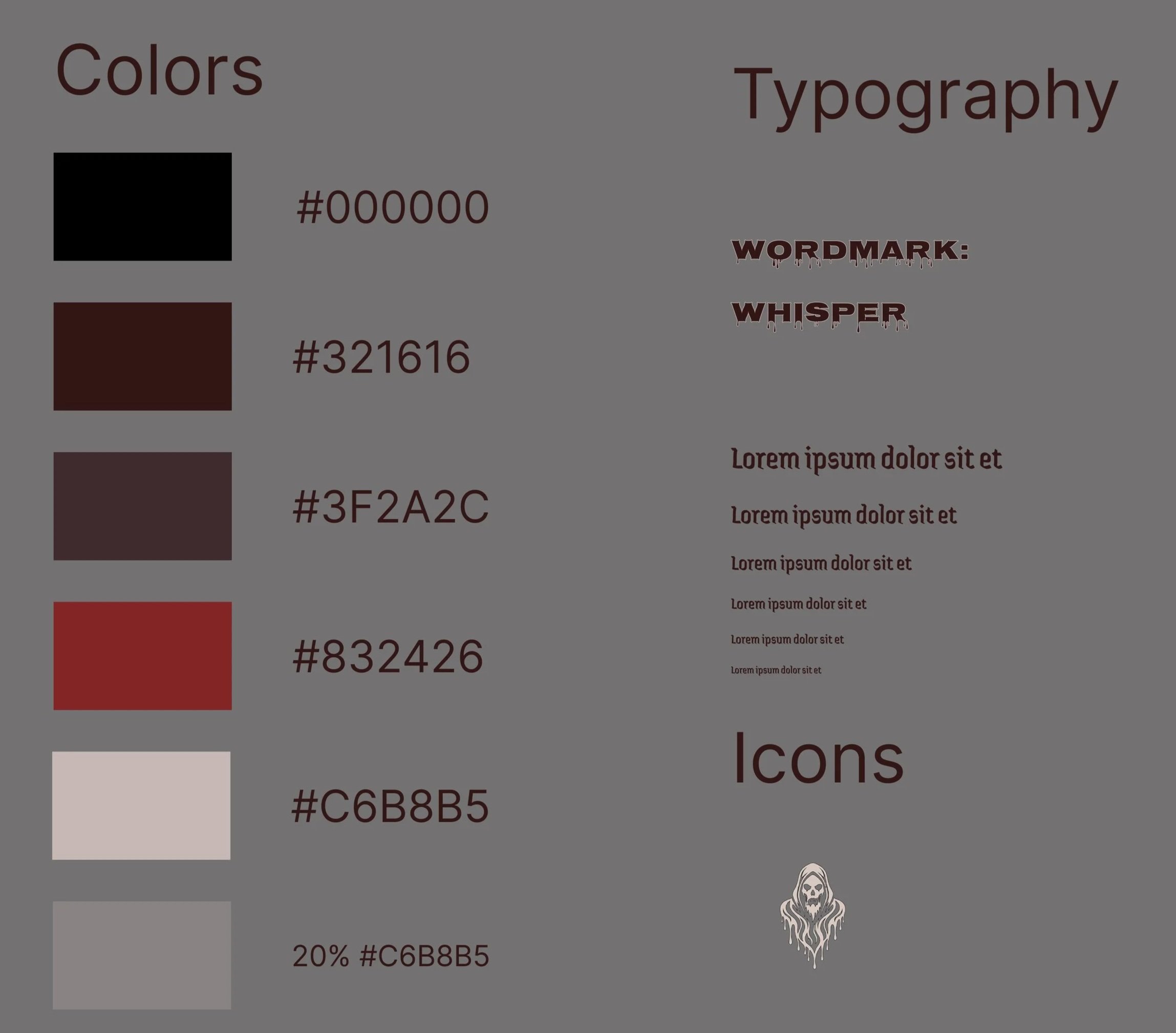
Visual Schematics: Color & Font
Color
Reflection
Design Strengths
Sanctuary/Dashboard Split: Clear, effective mode separation.
Haptic Feedback: Physical calming feels intuitive.
Fluid UI
Future Improvement Opportunities
Supportive Language: Should cater to individuals with accessibility as well
Proactive Journaling Prompts: Trigger journaling immediately after user receives alert
More dynamic or interactive parts
Adaptive Color Themes: Shift colors based on mood.
Usability Tests
Feature Area User Insight Design Opportunity
Always-On Alerts:
Users feel more secure when they know the system is actively watching for changes in their body, regardless of what page they are on.
Takeaway:
Move alert visibility outside of the Profile page and display a dashboard notification that activates when the system detects changes in heart rate or other biometric signals.
Sensory Log:
Users want the ability to record how they feel in the moment rather than only relying on automated data from devices.
Takeaway:
Expand the ways users can update biometric and emotional data by allowing journaling, voice recording, or quick manual entries in addition to device-collected data.
Button Interaction / Calming Feature:
Users enjoy the calming feature but want more visual feedback while using it.
Takeaway:
Add an animated pulse or expanding circle effect when the calming feature starts to guide breathing and make the prototype feel more interactive and realistic.
Link to High-fidelity Prototype: Whisper